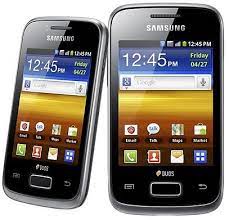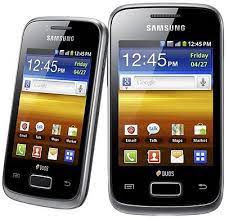
Samsung Galaxy Y Duos GT-S6102 Firmware (INS) – Free Download
Restore your device to stock, fix boot loops, unbrick soft-bricked phones, or resolve performance issues with this official firmware package.
🔍 Firmware Details
| Attribute | Info |
|---|---|
| Model | GT-S6102 |
| Device Name | Samsung Galaxy Y Duos |
| Region | India (INS) |
| CSC Code | INU |
| Firmware Version | S6102DDMF4 / S6102ODDMF4 |
| Android Version | 2.3.6 (Gingerbread) |
| Release Date | June 2013 |
| PDA File | S6102DDMF4_S6102ODDMF4_INU.zip |
| File Type | Single .tar.md5 inside a ZIP |
| Source | androidhub.co.in |
🧰 Required Tools
- ✅ Samsung USB Drivers
- ✅ Odin3 v3.07
- ✅ A Windows PC
- ✅ A USB Cable
- ✅ Firmware file (extract
.tar.md5from zip)
⚙️ How to Flash GT-S6102 Firmware
⚠️ Flashing may erase user data. Backup your important files first.
- Download & extract the firmware file to get the
.tar.md5. - Install Samsung USB Drivers on your PC.
- Boot the device into Download Mode:
- Power off → Hold Volume Down + Home + Power → Press Volume Up to confirm.
- Connect phone to PC via USB.
- Open Odin v3.07.
- Odin should show ID:COM in blue or yellow.
- Click the PDA or AP button and select the extracted
.tar.md5file. - Ensure Auto Reboot and F. Reset Time are checked.
- Click Start to begin flashing.
- Wait for PASS in Odin → Device will reboot.
📱 Galaxy Y Duos GT-S6102 Key Specs
| Feature | Specification |
|---|---|
| Display | 3.14″ TFT, 240 x 320 px |
| Processor | 832 MHz single-core |
| RAM | 384 MB |
| Storage | 512 MB (expandable via microSD) |
| Camera | 3.15 MP rear |
| Battery | 1300 mAh |
| OS | Android 2.3.6 Gingerbread |
| SIM | Dual SIM (Mini-SIM) |
✅ Conclusion
This firmware is a reliable way to bring your Galaxy Y Duos back to life. The build S6102DDMF4 is the latest Indian release for this model.