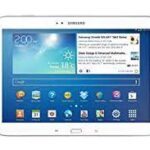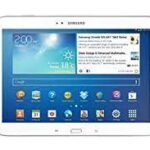
Download the official stock firmware for Samsung Galaxy Tab 3 10.1 Wi-Fi (GT-P5210). This firmware package is the UK (BTU) region firmware and can be used to restore, update, or repair your device.
Installing stock firmware helps fix many software issues such as bootloop, device stuck on logo, system errors, lagging performance, or a soft-bricked device. It also restores your tablet back to the original Samsung factory software.
At AndroidHub, we provide free and fast Samsung firmware downloads for many Galaxy smartphones and tablets.
Device Information
| Device | Samsung Galaxy Tab 3 10.1 (Wi-Fi) |
|---|---|
| Model | GT-P5210 |
| Region | BTU (United Kingdom) |
| Android Version | Android 4.4.2 KitKat |
| Firmware File | P5210XXUBOB1_P5210BTUBOC1_BTU.zip |
| File Type | Stock Firmware / Flash File |
Firmware Details
Below are the details of the official Samsung firmware package:
- Device: Samsung Galaxy Tab 3 10.1
- Model Number: GT-P5210
- Android Version: Android 4.4.2 KitKat
- PDA Version: P5210XXUBOB1
- CSC Version: P5210BTUBOC1
- Region: BTU (United Kingdom)
- File Format: ZIP Firmware Package
This firmware can be installed using Odin Flash Tool on a Windows computer.
Download Samsung Galaxy Tab 3 GT-P5210 Firmware
Download the official stock firmware file below.
Firmware File:
P5210XXUBOB1_P5210BTUBOC1_BTU.zip
After downloading, extract the ZIP file and use Odin Flash Tool to install the firmware on your device.
Why Install Stock Firmware?
Flashing the official Samsung firmware can help you:
- Fix bootloop problems
- Repair soft-bricked devices
- Fix tablet stuck on Samsung logo
- Remove system bugs and software errors
- Restore original Samsung operating system
- Improve system stability and performance
- Unroot the device and remove custom ROMs
How to Install Firmware (Basic Guide)
- Download the firmware file to your computer.
- Extract the ZIP firmware package.
- Install Samsung USB Drivers on your PC.
- Download and launch Odin Flash Tool.
- Boot your tablet into Download Mode.
- Connect the tablet to your computer using a USB cable.
- Load the firmware file into Odin.
- Click Start to begin the flashing process.
Your tablet will reboot automatically once the flashing process is complete.
Important Notes
Use the original USB cable for stable connection.
Make sure your device model is GT-P5210 before installing this firmware.
Backup your important data before flashing.
Ensure the device battery is at least 50% charged.