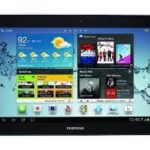
Looking to restore or update your Samsung Galaxy Tab 2 10.1 GT-P5110? Download the latest official stock firmware (flash file) for the Chile variant and bring your tablet back to life. 100% safe and free to download at androidhub.co.in.
🔽 Firmware Details
- Device Name: Samsung Galaxy Tab 2 10.1
- Model: GT-P5110
- Region/Country: Chile (CHO)
- PDA Version: P5110XXDMA2
- CSC Version: P5110UVSDMB1
- Android Version: Android 4.2.2 (Jelly Bean)
- File Name:
P5110XXDMA2_P5110UVSDMB1_CHO.zip - File Size: Approx. 900 MB
- Status: ✅ Official & 100% Tested
➡️ Download Now from androidhub.co.in
🔧 What You Can Fix with GT-P5110 Firmware
Flashing the stock firmware can help resolve:
- Bootloop or stuck on Samsung logo
- Crashed system or software glitches
- Forgotten pattern or screen lock
- Lag, freeze, or UI slowdowns
- Downgrade or upgrade to official Android
- Wipe all user data and start fresh
⚙️ Flashing Tools & Requirements
To flash GT-P5110 firmware, you’ll need:
- ✅ Samsung Odin Flash Tool (v3.10 or later)
- ✅ Samsung USB Drivers (Windows)
- ✅ Windows PC and USB cable
- ✅ Firmware
.zipextracted to.tar.md5
📲 How to Flash Samsung GT-P5110 Firmware (Step-by-Step)
- Extract the downloaded firmware zip to get
.tar.md5file. - Install Samsung USB Drivers on your PC.
- Download and launch Odin Tool.
- Put your tablet into Download Mode:
- Power off the device.
- Hold Power + Volume Down + Home buttons together.
- Press Volume Up to confirm.
- Connect device via USB. Odin will show “Added!”.
- Click AP in Odin and select
.tar.md5file. - Ensure only Auto Reboot and F. Reset Time are checked.
- Click Start. Wait until it shows “PASS!”.
- Device will reboot automatically.
✅ You’ve successfully flashed your Galaxy Tab 2 GT-P5110!
🛠️ Common GT-P5110 Software Issues & Fixes
1. ⚠️ Bootloop or Freezing
- Flash official firmware using Odin.
- Wipe cache/data from recovery after flashing.
2. 🐢 Performance Lag
- Perform factory reset.
- Remove unused apps and clear storage.
- Flash clean firmware to refresh system.
3. 🔋 Battery Drain or Overheating
- Reduce screen brightness & close background apps.
- Check for rogue apps in battery settings.
4. 📶 Wi-Fi/Network Issues
- Reset network settings.
- Flashing firmware often resolves persistent network bugs.
📦 Need Other Versions or Regions?
We offer firmware for all Galaxy Tab 2 (GT-P5110 / GT-P5100) variants — by country, carrier, or Android version. Explore more downloads at:
➡️ All Samsung Galaxy Tab 2 Firmware – androidhub.co.in