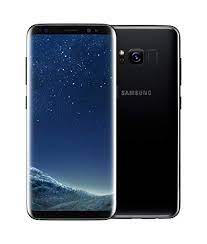
Is your Samsung Galaxy S8 (SM-G950FD) stuck on the “Samsung” logo, restarting randomly, or failing a software update? To fix these issues, you must flash the official stock firmware that matches your device’s Binary (SW REV) level.
On androidhub.co.in, we provide the full collection of verified flash files for the G950FD, ranging from the original U1 builds to the final U9 security updates.
📂 Firmware Version Database (India – INS)
| Binary Level | PDA Version | Android Version | Download Link |
| Binary U9 | G950FXXU9DTF1 | 9.0 (Pie) | Download U9 File |
| Binary U8 | G950FXXS8DTC6 | 9.0 (Pie) | Download U8 File |
| Binary U6 | G950FXXU6DSK9 | 9.0 (Pie) | Download U6 File |
| Binary U5 | G950FXXU5DSFB | 9.0 (Pie) | Download U5 File |
| Binary U2 | G950FXXU2CRED | 8.0 (Oreo) | Download U2 File |
| Binary U1 | G950FXXU1CRD7 | 8.0 (Oreo) | Download U1 File |
🚀 Tools & Drivers
- Flash Tool: Download Odin3 v3.14.4 (Required for Android 9.0)
- USB Drivers: Download Samsung USB Drivers
- Extraction: Use 7-Zip or WinRAR to unzip the
.zippackages.
🛠️ Important: Identifying Your Binary Version
Before downloading, you must check your current binary level to avoid the “Binary Check Fail” error in Odin.
- Put your phone into Recovery Mode (Bixby + Volume Up + Power).
- Look for a string like
G950FXXU**9**DTF1. The number 9 represents Binary 9. - Rule: You can flash the same binary or a higher one, but you cannot downgrade to a lower binary (e.g., if you are on U9, you cannot flash U5).
⚠️ Pre-Flash Checklist
- Backup: This process will erase all internal data. Backup your photos and contacts.
- Battery: Maintain at least 50% charge.
- FRP Lock: If you are not performing a clean install, ensure you know your Google credentials. If you are selling the phone, remove the Google account from Settings before flashing.
📖 How to Flash SM-G950FD via Odin
Start: Click Start and wait for the “PASS!” notification. The phone will reboot automatically.
Extract: Unzip the 4-file (BL, AP, CP, CSC) firmware package.
Download Mode: Power off the S8. Press and hold Bixby + Volume Down + Power. When the warning screen appears, press Volume Up.
Odin Setup: Open Odin and connect your phone. The ID:COM box should light up blue.
Load Files: * BL: Select the file starting with BL_...
AP: Select the file starting with AP_...
CP: Select the file starting with CP_...
CSC: Select the file starting with CSC_... (Use HOME_CSC to attempt to keep data).
Samsung Galaxy S8 SM-G950FD U9 Firmware Download
Samsung Galaxy S8 SM-G950FD U8 Firmware Download
Samsung Galaxy S8 SM-G950FD U6 Firmware Download
Samsung Galaxy S8 SM-G950FD U5 Firmware Download
Samsung Galaxy S8 SM-G950FD U2 Firmware Download