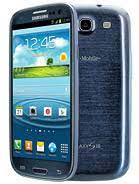
Samsung Galaxy S3 SGH-T999 USA Firmware (Flash File) – Free Download | AndroidHub.co.in
Download Official Samsung Galaxy S3 SGH-T999 Stock Firmware (Flash File)
If you own a Samsung Galaxy S3 SGH-T999 (USA T-Mobile) and are experiencing system errors, software issues, or performance problems, flashing the official stock firmware can restore your device to optimal functionality. At AndroidHub.co.in, we offer free downloads for the Samsung Galaxy S3 SGH-T999 firmware, drivers, and flashing tools.
✅ Samsung Galaxy S3 SGH-T999 Specifications
📱 Processor:
- Chipset: Qualcomm Snapdragon S4 Plus MSM8960
- CPU: Dual-core Krait @ 1.5 GHz
- GPU: Adreno 225
🔋 Battery & Charging:
- Battery: 2100mAh
- Charging: Standard USB charging
- Talk time: Up to 11 hours
- Standby time: Up to 350 hours
📐 Display:
- Size: 4.8-inch Super AMOLED HD
- Resolution: 1280 x 720 pixels (306 ppi)
- Protection: Corning Gorilla Glass 2
- Display features: Multitouch, Light sensor, Proximity sensor
📸 Camera:
- Rear Camera: 8 MP, autofocus, LED flash, 1080p video recording at 30fps
- Front Camera: 1.9 MP, 720p HD video
- Camera Features: Geo-tagging, face detection, image stabilization
💾 Storage & RAM:
- Internal Storage: 16GB, 32GB, or 64GB (expandable via microSD up to 64GB)
- RAM: 2GB
📥 Download Samsung Galaxy S3 SGH-T999 Firmware & Tools
- 🔗 Download T999UVUEOH1_T999TMBEOH1_TMB.zip (Jelly Bean 4.3)
- 🔗 Download Odin Tool (Latest)
- 🔗 Download Samsung USB Drivers
💡 Note: Before flashing, ensure your device has at least 50% battery charge. Backup all important data as the flashing process will wipe the device.
🛠️ Common Issues & Solutions for Samsung Galaxy S3 SGH-T999
1. 🔋 Battery Drain Issues
Solution:
- Check power-hungry apps via Settings > Battery.
- Disable unnecessary background processes.
- Install the latest firmware updates for better battery optimization.
2. 🐢 Slow Performance or Freezing
Solution:
- Clear cached data: Settings > Storage > Cached data.
- Restart your device regularly to refresh the system.
- Flash the official stock ROM for improved performance.
3. 📶 Connectivity Problems (Wi-Fi, Mobile Data, Bluetooth)
Solution:
- Toggle Airplane mode on and off to reset network connections.
- Reset network settings via Settings > General Management > Reset > Reset Network Settings.
- Ensure the latest software updates are installed for better connectivity.
4. 📱 App Crashes or Unresponsiveness
Solution:
- Update the app from the Google Play Store.
- Clear the app’s cache or reinstall the app.
- Ensure sufficient available storage for optimal app performance.
5. 🌡️ Overheating During Use
Solution:
- Avoid using the device during charging.
- Close unused apps running in the background.
- Limit extended gaming sessions or resource-heavy apps.
6. 🧩 Software Bugs & Glitches
Solution:
- Report bugs through the Samsung Members app or via Samsung’s official support channels.
- Regularly check for updates and patches via Settings > About Phone > System Update.
- If issues persist, consider performing a factory reset or flashing the firmware.
7. 🖐️ Touchscreen Sensitivity Issues
Solution:
- Clean the screen to remove any dirt or oils.
- Adjust touch sensitivity in Settings > Display > Touch Sensitivity.
- Perform a factory reset if necessary.
📘 How to Flash Samsung Galaxy S3 SGH-T999 Using Odin Tool
- Download and extract the stock firmware (T999UVUEOH1_T999TMBEOH1_TMB.zip).
- Download Odin Tool and install it on your PC.
- Install Samsung USB Drivers for proper connection.
- Boot your device into Download Mode: Turn off the device, then press Volume Down + Home + Power buttons simultaneously.
- Open Odin on your PC and click the AP button.
- Select the extracted firmware file (.tar.md5).
- Connect your phone to your PC using a USB cable.
- Click Start in Odin and wait for the flashing process to complete.
- Once done, you’ll see a Pass! message in Odin. Your device will reboot with the official firmware.
📞 Need Help?
For further guidance, troubleshooting, and more detailed flashing instructions, visit:
👉 Complete Guide to Flash Samsung Galaxy S3 SGH-T999
👉 Fix Common Samsung Galaxy S3 Issues
🧠 Final Thoughts
The Samsung Galaxy S3 SGH-T999 remains a beloved device, but like any older smartphone, it can experience software or performance issues. By flashing the official stock firmware from AndroidHub.co.in, you can resolve most problems and restore your phone to its original performance levels.
Stay updated and visit us for more firmware downloads, troubleshooting tips, and guides!
