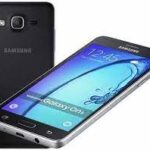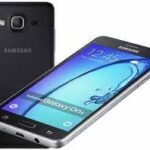
Is your Samsung Galaxy On5 (SM-G550FY) stuck on the logo, restarting frequently, or running extremely slow? Reinstalling the official stock firmware (Flash File) is the most effective way to repair software glitches, remove screen locks, and return your device to its original factory condition.
On this page, you can download the G550FYDDU1AOL3 firmware (Android 5.1.1 Lollipop) for the Indian region (INS) at maximum speed, completely free of charge.
📂 Firmware Package Details
| Feature | Details |
| Model Name | Samsung Galaxy On5 |
| Model Number | SM-G550FY |
| Region | India (INS) |
| Android Version | 5.1.1 (Lollipop) |
| PDA | G550FYDDU1AOL3 |
| CSC | G550FYODD1AOL4 |
| Release Date | January 2016 |
🚀 High-Speed Download Links
- Firmware File: Download G550FYDDU1AOL3_G550FYODD1AOL4_INS.zip
- Flash Tool: Download Odin3 v3.14.4
- Drivers: Download Samsung USB Drivers
🛠️ Why Flash This Firmware?
Flashing the stock ROM on your SM-G550FY can resolve a wide range of mobile software problems, including:
- Performance Issues: Fixes lag and slow responsiveness of the TouchWiz UI.
- Bootloop/Brick: Recovers phones stuck at the “Samsung Galaxy On5” startup screen.
- App Crashes: Stops persistent “Unfortunately, app has stopped” errors.
- Connectivity Fixes: Solves Wi-Fi, Bluetooth, or mobile data dropping issues.
- Privacy: Removes PIN, Pattern, or Password locks if you are locked out.
⚠️ Pre-Flash Checklist
To ensure a successful flash without bricking your device, please follow these steps:
- Confirm Model: Verify your model is SM-G550FY in Settings > About Device.
- Charge Battery: Your phone should have at least 50% battery remaining.
- Backup Data: This process will erase everything on your phone’s internal storage.
- Use a PC: Flashing requires a Windows computer and a reliable USB cable.
📖 Step-by-Step Installation Guide (Odin)
Flash: Click Start. Wait for the green “PASS!” message. Your phone will reboot automatically.
Extract: Unzip the firmware zip file and the Odin tool to your desktop.
Drivers: Install the Samsung USB Drivers on your PC.
Download Mode: Power off your On5. Press and hold Volume Down + Home + Power buttons. When you see a warning, press Volume Up.
Connect: Open Odin and connect your phone to the PC. The ID:COM port will light up blue.
Load Files: Click the AP button and select the extracted .tar.md5 file.