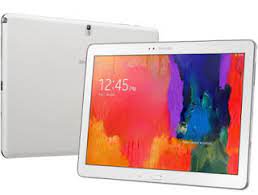
If you want to update or reinstall the firmware on your Samsung Galaxy Note Pro SM-P900, you are in the right place. Here you can download the official Android 5.0.2 Lollipop firmware for the Samsung Galaxy Note Pro 12.2 WiFi model.
Flashing the stock firmware can help fix system errors, improve performance, and restore the device to its original factory condition.
Samsung Galaxy Note Pro SM-P900 Firmware Details
Device Name: Samsung Galaxy Note Pro 12.2 (WiFi)
Model Number: SM-P900
Android Version: Android 5.0.2 Lollipop
Firmware Version: P900UEU1COH2_P900XAC1COH2_XAC.zip
Status: Official Samsung Firmware
File Type: ZIP (Flash File)
Flash Tool: Odin Tool
Availability: Free Download
Download Samsung Galaxy Note Pro SM-P900 Firmware
Firmware File
P900UEU1COH2_P900XAC1COH2_XAC.zip
Samsung Galaxy Note Pro SM-P900 Specifications
- Display: 12.2-inch Super Clear LCD
- Resolution: 2560 × 1600 pixels
- Processor: Exynos 5420 Octa-Core
- RAM: 3GB
- Storage: 32GB / 64GB
- Rear Camera: 8MP
- Front Camera: 2MP
- Battery: 9500 mAh
- OS: Android 5.0.2 Lollipop
Why Install Stock Firmware?
Installing the Samsung Galaxy Note Pro SM-P900 stock ROM can help solve many software problems:
- Fix bootloop issue
- Device stuck on Samsung logo
- Unbrick dead device
- Fix system bugs and lag
- Restore factory firmware
- Upgrade or reinstall Android system
How to Flash Samsung Galaxy Note Pro SM-P900 Firmware
Follow the steps below to install the firmware using Odin Flash Tool:
1. Install Samsung USB Drivers
Download and install the latest Samsung USB drivers on your computer.
2. Download the Firmware
Download the SM-P900 firmware file and extract the ZIP file.
3. Download Odin Flash Tool
Use the Odin flashing tool to install Samsung firmware.
4. Enter Download Mode
Turn off the tablet and press:
Power + Home + Volume Down
5. Connect Device to PC
Connect your device to the computer using a USB cable.
6. Load Firmware in Odin
Open Odin and load the firmware file in the AP / PDA section.
7. Start Flashing
Click Start and wait for the flashing process to complete.
Your device will automatically restart after successful installation.
Important Notes
- Charge your device at least 50% before flashing
- Always backup your important data
- Use official firmware only
- Do not disconnect the device during flashing
Conclusion
The Samsung Galaxy Note Pro SM-P900 Lollipop firmware helps restore your device to its original state and fix various software issues. Flashing the official firmware can improve system performance, stability, and security.
