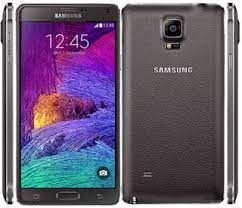
Is your Samsung Galaxy Note 4 (SM-N910C) experiencing “laggy” performance, battery drain, or is it stuck on the Samsung logo? Reinstalling the official stock firmware is the ultimate way to fix deep-rooted software bugs and restore your flagship device to its factory-fresh state.
Below you can download the N910CXXU1BOC3 firmware (Android 5.0.1 Lollipop) for the Brazil region (ZTO) at maximum speed.
📂 Firmware Details
| Feature | Details |
| Model Name | Samsung Galaxy Note 4 (Exynos) |
| Model Number | SM-N910C |
| Region | Brazil (ZTO) |
| Android Version | 5.0.1 (Lollipop) |
| PDA | N910CXXU1BOC3 |
| CSC | N910CZTO1BOB4 |
| Changelist | 4456638 |
🚀 Download Links
- Firmware File: Download N910CXXU1BOC3_N910CZTO1BOB4_ZTO.zip
- Flash Tool: Download Odin3 v3.14.4
- Drivers: Download Samsung USB Drivers
🛠️ Why Flash this Stock ROM?
Flashing the original firmware on your Note 4 can resolve several critical issues:
- Fix Bootloops: Recovers devices stuck on the startup animation.
- Remove Screen Locks: Clears forgotten PIN, Pattern, or Fingerprint locks.
- Restore Performance: Eliminates lag and UI freezing common in older Android versions.
- Battery & Heat: Reinstalling fresh system files can help with overheating and rapid battery depletion.
- Unroot/Official Status: Returns your device to official status for security and banking apps.
⚠️ Important Pre-Installation Steps
- Backup Data: This process will erase all data on your internal storage. Backup your S-Notes, photos, and contacts.
- Charge Your Device: Ensure your Note 4 has at least 60% battery to avoid a sudden shutdown.
- Confirm Model Number: This firmware is for SM-N910C only. Do not flash this on N910F, N910G, or other variants.
- Hardware Check: Ensure your micro-USB cable and PC port are stable for data transfer.
📖 How to Flash SM-N910C using Odin
Flash: Ensure “Re-Partition” is NOT checked. Click Start. Once you see the green “PASS!” sign, your phone will reboot automatically.
Extract: Unzip the firmware zip and the Odin tool on your computer.
Install Drivers: Ensure the Samsung USB Drivers are installed on your PC.
Download Mode: Power off your Note 4. Press and hold Volume Down + Home + Power. When the warning appears, press Volume Up.
Connect: Open Odin and plug in your phone. The ID:COM box should turn blue or yellow.
Load Files: Click the AP button and select the extracted .tar.md5 firmware file.