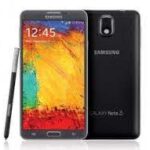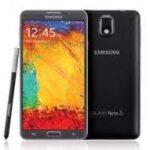
Download the official Samsung Galaxy Note 3 SM-N9006 MTK Clone Firmware (Flash File) to restore, repair, or upgrade your device. This firmware is specifically designed for Samsung Note 3 clone devices running the MediaTek MT6572 chipset. If your device is experiencing issues like bootloop, stuck on logo, slow performance, or software errors, installing the stock firmware can help bring your phone back to normal working condition.
At AndroidHub.co.in, we provide free and fast firmware downloads for Samsung and other Android devices.
📱 Firmware Details
| Feature | Information |
|---|---|
| Device Name | Samsung Galaxy Note 3 (Clone) |
| Model Number | SM-N9006 |
| Chipset | MediaTek MT6572 |
| Android Version | Android 4.4.2 KitKat |
| Firmware Type | Stock ROM (Clone Firmware) |
| File Name | Samsung_Note_3_SM-N9006_MT6572_4.4.2.zip |
| Flash Tool | SP Flash Tool |
| USB Driver | MTK VCOM / CDC Drivers |
| File Format | ZIP |
| Download | Free |
📥 Samsung Galaxy Note 3 SM-N9006 Firmware Download
You can download the Samsung Galaxy Note 3 SM-N9006 MTK Clone Stock Firmware using the link below.
Firmware File:
Samsung_Note_3_SM-N9006_MT6572_4.4.2.zip
This firmware package contains the complete flash file, scatter file, and required system files needed to install the stock ROM on your device.
✅ Benefits of Installing SM-N9006 Clone Firmware
Flashing the stock firmware can fix many software-related issues on your phone.
✔ Fix bootloop problems
✔ Fix device stuck on Samsung logo
✔ Repair soft bricked phones
✔ Restore device to factory stock condition
✔ Remove malware, viruses, and unwanted apps
✔ Improve device performance and stability
✔ Fix network issues or invalid IMEI problems
✔ Resolve system crashes and lag
🔧 Requirements Before Flashing
Before installing the firmware, make sure you have the following:
- Windows PC or Laptop
- SP Flash Tool
- MTK USB Drivers (VCOM or CDC Drivers)
- Original USB cable
- Backup of important data (flashing will erase data)
🔨 How to Flash Samsung Note 3 SM-N9006 Clone Firmware
Follow the steps below carefully to flash the firmware using SP Flash Tool.
Step 1: Download Required Files
Download the following files:
- Samsung_Note_3_SM-N9006_MT6572_4.4.2 Firmware
- SP Flash Tool
- MTK USB Drivers
Step 2: Install USB Drivers
Install MediaTek USB drivers on your computer so the device can be detected during flashing.
Step 3: Extract Firmware and Tools
- Extract the downloaded firmware ZIP file
- Extract the SP Flash Tool folder
Step 4: Launch SP Flash Tool
Open the flash_tool.exe file as Administrator.
Step 5: Load Scatter File
- Click Scatter-loading
- Select the file MT6572_Android_scatter.txt from the firmware folder
Step 6: Start Flashing
- Click the Download button
- Turn off your phone
- Connect the phone to the PC using a USB cable
The flashing process will begin automatically.
Step 7: Finish Flashing
Wait until you see the green “Download OK” message.
Once finished:
- Disconnect your device
- Turn it on
Your phone should now boot normally.
⚠️ Important Notes
- This firmware is only for Samsung Galaxy Note 3 SM-N9006 MTK Clone devices.
- Do not install on original Samsung Note 3 models.
- Flashing firmware incorrectly may cause device damage.
- Always backup your data before flashing.
📌 Additional Tools
You may also need these tools for flashing and repair:
- SP Flash Tool
- MTK USB Drivers (VCOM / CDC)
- MTK Droid Tools (Optional)