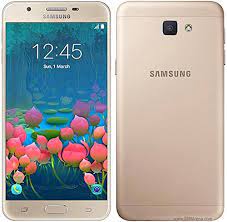
Is your Samsung Galaxy J5 Prime (SM-G570F Firmware) stuck on the boot screen, lagging, or showing persistent software errors? Reinstalling the official stock firmware is the most reliable way to fix “Hang on Logo” issues, remove screen locks, and restore your phone to its original peak performance.
On this page, you can download the G570FDDU1CRL2 (Android 8.0 Oreo) and G570FXXU1BRD3 (Android 7.0 Nougat) firmware for the Indian region (INS) with maximum download speeds.
📂 Firmware Package Details
| Feature | Details |
| Model Name | Samsung Galaxy J5 Prime |
| Model Number | SM-G570F / SM-G570FD |
| Region | India (INS) |
| Android Version | 8.0 (Oreo) / 7.0 (Nougat) |
| PDA (Latest) | G570FDDU1CRL2 |
| CSC (Latest) | G570FODD1CRL1 |
| Build Date | December 2018 |
🚀 High-Speed Download Links
- Firmware File (Oreo 8.0): Download G570FDDU1CRL2_INS.zip
- Firmware File (Nougat 7.0): Download G570FXXU1BRD3_INS.zip
- Flash Tool: Download Odin3 v3.14.4
- Drivers: Download Samsung USB Drivers
🛠️ Common Software Issues Fixed
Flashing this official firmware helps resolve:
- Bootloops: Recovers devices stuck on the “Samsung J5 Prime” startup logo.
- Performance Lag: Fixes slow UI response and system freezes.
- Security Locks: Removes forgotten Pattern, PIN, or Password locks.
- Network & Data: Solves issues with VoLTE, Wi-Fi, or Bluetooth connectivity.
- System Corruption: Repairs “Unfortunately, Settings has stopped” and other system-level errors.
⚠️ Pre-Flash Checklist
- Backup Data: This process will erase all user data. Backup your photos, contacts, and WhatsApp messages.
- Battery: Ensure your phone is charged to at least 50%.
- Confirm Model: This is strictly for the SM-G570F variant. Using it on other models may cause a permanent brick.
- OEM Unlock: If possible, go to Developer Options and enable OEM Unlock and USB Debugging.
📖 How to Flash SM-G570F via Odin
- Extract: Unzip the firmware zip and Odin tool on your computer.
- Drivers: Install the Samsung USB Drivers.
- Download Mode: Power off your phone. Press and hold Volume Down + Home + Power. When the warning screen appears, press Volume Up.
- Connect: Open Odin and connect your phone to the PC. The ID:COM box should turn blue.
- Load Files: Click the AP button and select the extracted
.tar.md5firmware file. - Flash: Ensure “Re-Partition” is NOT checked. Click Start. Once it finishes, a green “PASS!” sign will appear, and the phone will reboot.