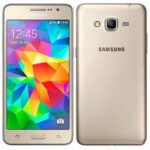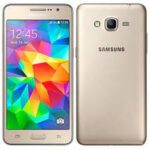
Is your Samsung Grand Prime Clone (SM-G530H) stuck on the logo, or are you facing “Privacy Protection Password” errors? Since this is an MTK-based clone and not an original Samsung device, you cannot use Odin. You need the specific Scatter-based firmware and SP Flash Tool.
Below is the verified, official stock ROM for the Samsung SM-G530H Clone (MT6572) running Android 4.4.2 (KitKat).
📂 Firmware Package Details
| Feature | Details |
| Device Name | Samsung Galaxy Grand Prime (Clone/Copy) |
| Model Number | SM-G530H |
| Chipset | MediaTek MT6572 |
| Android Version | 4.4.2 (KitKat) |
| Build ID | ALPS.KK1.MP7.V1 |
| File Type | Scatter File (MTK) |
🚀 Download Links
- Firmware File: Download Samsung_Galaxy_Grand_Prime_SM-G530H_MTK6572.zip
- Flash Tool: Download SP Flash Tool (Latest Version)
- Drivers: Download MTK VCOM USB Drivers
🛠️ Issues This Firmware Fixes
Using this scatter file will help you resolve:
- Dead Recovery: If the device is completely black after a wrong flash.
- Hang on Logo: Stuck at the “Samsung” or “Android” startup screen.
- Virus/Malware: Removing persistent adware pre-installed on clone devices.
- Software Locks: Bypassing forgotten patterns or privacy passwords.
- LCD/Display Fix: Resolving white screen issues after flashing the wrong version.
⚠️ Important: Clone Verification
Before flashing, you must confirm your device hardware using a tool like MTK Droid Tools or Device Info HW.
- DO NOT flash this on an original Samsung SM-G530H (Qualcomm/Spreadtrum).
- DO NOT flash this if your chipset is not MT6572.
📖 How to Flash MTK Clone using SP Flash Tool
Flash: The progress bar will turn yellow. Once a green circle appears, the flashing is complete!
Extract: Unzip the firmware folder and the SP Flash Tool on your PC.
Drivers: Install the MTK VCOM drivers (essential for the PC to “see” the phone).
Load Scatter: Open Flash_tool.exe. Click on “Scatter-loading” and select the MT6572_Android_scatter.txt file from the firmware folder.
Settings: Ensure “Download Only” is selected. (Do NOT use Format All + Download unless you have a backup of your NVRAM).
Connect: Click the Download button. Power off your phone, remove the battery (if possible), and connect it to the PC while holding Volume Down.