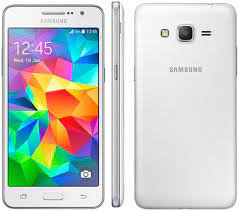
Download the official Samsung Galaxy Grand Prime SM-G530H firmware (flash file) with Android 4.4.4 KitKat. This stock ROM helps you update, repair, or restore your Galaxy Grand Prime smartphone if it is experiencing software issues.
If your phone is stuck on the Samsung logo, facing a bootloop, or running slowly, installing the official Samsung firmware using the Odin Flash Tool can fix these problems and restore your device to factory condition.
Samsung Galaxy Grand Prime SM-G530H Firmware Information
Device Name: Samsung Galaxy Grand Prime Duos
Model Number: SM-G530H
Android Version: Android 4.4.4 KitKat
Region: INS (India)
Firmware Type: Official Samsung Stock ROM
File Format: ZIP
Flashing Tool: Odin Tool
Why Install Samsung SM-G530H Stock Firmware?
Installing official firmware provides several benefits:
- Fix bootloop and stuck logo problems
- Repair soft-bricked devices
- Solve system lag and slow performance
- Remove virus or malware
- Restore factory software
- Fix app crashes and system errors
- Reinstall or update the Android operating system
Using the official firmware ensures your phone runs smoothly and securely.
Download Samsung Galaxy Grand Prime SM-G530H KitKat Firmware
Below is the official Android KitKat 4.4.4 firmware available for the Samsung Galaxy Grand Prime SM-G530H.
Firmware Version
G530HXXU2AOF1_G530HODD2AOF1_INS.zip
This firmware is designed for Samsung Galaxy Grand Prime SM-G530H (INS region – India).
Alternative Firmware Version
Another firmware version available for this device:
G530HDCU1AOE2 – Android 4.4.4 KitKat (Indonesia)
Choose the firmware according to your device model and region.
How to Install Samsung SM-G530H Firmware Using Odin
Follow these steps carefully to flash the firmware:
- Download the SM-G530H firmware file.
- Install Samsung USB Drivers on your computer.
- Extract the downloaded firmware ZIP file.
- Download and open the Odin Flash Tool.
- Boot your phone into Download Mode (Volume Down + Home + Power).
- Connect the phone to your PC with a USB cable.
- Load the firmware file into Odin.
- Click Start and wait for the flashing process to complete.
Once the process finishes, the phone will restart with fresh stock firmware installed.
Samsung Galaxy Grand Prime SM-G530H Specifications
Display: 5.0-inch TFT display
Processor: Quad-core 1.2 GHz
RAM: 1 GB
Storage: 8 GB internal storage
Camera: 8 MP rear camera
Battery: 2600 mAh
Operating System: Android KitKat 4.4.4
Important Notes
- Backup your important data before flashing.
- Make sure your phone has at least 50% battery.
- Only use firmware designed for SM-G530H.
- Flashing incorrect firmware may damage your device.
Conclusion
The Samsung Galaxy Grand Prime SM-G530H KitKat firmware (Android 4.4.4) is useful for fixing software issues, reinstalling the Android OS, or restoring the original system on your device.
Download the official SM-G530H flash file and install it using the Odin tool to keep your Galaxy Grand Prime running smoothly.