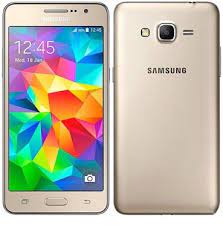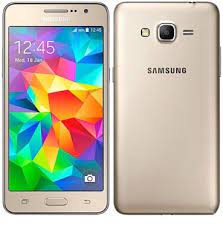
Download the official Samsung Galaxy Grand Prime SM-G530H firmware for the India region. This stock ROM allows you to restore the original Samsung software, fix bootloop issues, remove system bugs, and reinstall the official firmware on your device.
All firmware listed below are official Samsung stock ROM files and can be installed using the Odin Flash Tool.
📱 Device Information
- Device Name: Samsung Galaxy Grand Prime
- Model: SM-G530H
- Region: India (INS / INU)
- Operating System: Android (Stock Samsung Firmware)
- Flash Tool: Odin Flash Tool
📥 Download Samsung Galaxy Grand Prime SM-G530H Firmware
Official Stock Firmware
Firmware Version:
SM-G530H_G530HXXS2BQB1
This firmware package contains the official Samsung Galaxy Grand Prime SM-G530H system software for the India region.
🛠 What This Firmware Fixes
Flashing the official stock firmware can help fix:
- Bootloop or stuck on Samsung logo
- System crashes or lag
- Failed OTA update issues
- Soft-bricked devices
- Removing root or custom ROM
- Restoring factory Samsung firmware
⚙️ Requirements Before Flashing
Before installing the firmware, make sure you have the following:
- Windows PC or Laptop
- Samsung USB Drivers installed
- Odin Flash Tool
- Original USB cable
- Phone battery charged above 50%
🔧 How to Flash Samsung Galaxy Grand Prime SM-G530H Firmware
Step 1 – Download Firmware
Download the firmware file and extract the ZIP archive on your computer.
Step 2 – Install Samsung USB Drivers
Install Samsung USB drivers so the phone can be detected by your PC.
Step 3 – Boot into Download Mode
- Turn off the phone
- Press and hold Volume Down + Home + Power
- Press Volume Up to confirm Download Mode
Step 4 – Launch Odin
Open the Odin Flash Tool on your computer.
Step 5 – Load Firmware
Click AP / PDA and select the .tar.md5 firmware file.
Step 6 – Connect Device
Connect your phone to the PC using a USB cable. Odin should detect the device.
Step 7 – Start Flashing
Click Start and wait until Odin shows PASS. The device will reboot automatically.
⚠️ Important Notes
Do not disconnect the device during the flashing process.
Flashing firmware will erase personal data. Backup important files first.
Ensure the firmware matches your exact device model SM-G530H.