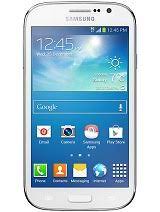
Looking to fix software issues, unbrick, or restore your Samsung Galaxy Grand Neo GT-I9060? Download and flash the official stock firmware (ROM) using Odin and get your device back to working condition.
🔍 Firmware Details:
- Model: GT-I9060
- Device Name: Samsung Galaxy Grand Neo
- Region: India (INS / INU)
- Android Version: 4.2.2 (Jelly Bean)
- Firmware Format:
.zip(extract to get.tar.md5for Odin) - Flash Tool Required: Odin (recommended v3.10 or higher)
- File Type: Official Samsung Stock Firmware
📦 Available Firmware Versions:
| Firmware File Name | Country | Version | Build Date |
|---|---|---|---|
I9060DDUANJ1_I9060ODDANJ1_INS.zip | India | 4.2.2 | Oct 2014 |
I9060DDUAND1_ODDAND1_India_4.2.2_.zip | India | 4.2.2 | Apr 2014 |
I9060XXUANA3_I9060ODDANA2_INU.zip | India | 4.2.2 | Jan 2014 |
🌐 Download Firmware Links:
- 🔗 Samsung Galaxy Grand Neo GT-I9060 Firmware – AndroidHub.co.in
- 🔗 Official Firmware on SamMobile (Search GT-I9060)
🔧 How to Flash GT-I9060 Firmware Using Odin:
✅ What You Need:
- ✅ Samsung USB Drivers → Download Here
- ✅ Odin Flash Tool (Recommended: v3.10 or above) → Download Here
- ✅ Extracted Firmware
.tar.md5file
📲 Flashing Steps:
- Extract the downloaded firmware file.
- Boot the phone into Download Mode:
- Hold Volume Down + Home + Power, then press Volume Up to confirm.
- Open Odin and connect your device via USB.
- Odin should detect the device (blue or ID:COM highlight).
- Click AP and load the
.tar.md5firmware file. - Leave other settings as default and click Start.
- Wait until the process completes and your phone reboots automatically.
⚠️ Important Notes:
- Use Home_CSC to keep data, or CSC to perform a full factory reset.
- Backup your data beforehand.
- Ensure at least 50% battery before flashing.