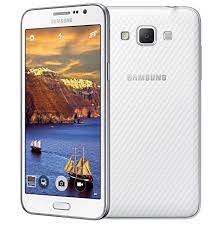
Samsung Galaxy Grand Max SM-G7202 Firmware (India – INS) running Android KitKat — perfect for posting on androidhub.co.in:
📥 Samsung Galaxy Grand Max SM-G7202 INS Firmware (KitKat 4.4.4) – Free Download
If your Samsung Galaxy Grand Max SM-G7202 is stuck on the boot logo, experiencing software errors, or in need of a fresh OS installation, flashing the official stock firmware can restore it to factory condition. Download the tested firmware below and follow the flashing guide using Odin.
📱 Device Information:
- Device Name: Samsung Galaxy Grand Max
- Model: SM-G7202
- Region: India (INS)
- Android Version: Android 4.4.4 KitKat
- Build Number: G7202DDU1AOAD / G7202ODD1AOAD
- File Name:
G7202DDU1AOAD_G7202ODD1AOAD_INS.zip
✅ Download Links
🔗 Download Samsung Galaxy Grand Max SM-G7202 Firmware (KitKat 4.4.4) – Free
🔗 Download Odin Flash Tool v3.14.4
🔗 Download Samsung USB Drivers
All files are verified and hosted by androidhub.co.in – No password, direct download.
⚙️ How to Flash Samsung SM-G7202 Firmware Using Odin
⚠️ Important: Flashing will wipe all your data. Please back up everything before starting.
Step-by-Step Flashing Guide:
- Extract the downloaded firmware
.zipfile to get the.tar.md5file. - Install Samsung USB Drivers on your PC.
- Download and open the Odin Flash Tool.
- Reboot your phone into Download Mode:
- Power off your phone
- Press and hold Volume Down + Home + Power buttons together
- Press Volume Up to confirm
- Connect your phone to the PC via USB. Odin should detect your phone (blue COM port).
- In Odin:
- Click AP and select the
.tar.md5firmware file - Do not tick “Re-Partition”
- Click AP and select the
- Click Start
- Wait until Odin shows PASS and your phone reboots automatically
🔧 Common Issues Fixed by Flashing:
- Bootloop or stuck on Samsung logo
- Unresponsive or soft-bricked phone
- Lagging, crashing, or slow UI
- Forgotten password or pattern lock
- Corrupted or unstable system after failed root or custom ROM
- Invalid IMEI or baseband errors
📋 Device Specs: Samsung Galaxy Grand Max SM-G7202
| Feature | Detail |
|---|---|
| OS | Android 4.4.4 (KitKat) |
| Chipset | Qualcomm Snapdragon 410 |
| CPU | Quad-core 1.2 GHz Cortex-A53 |
| Display | 5.25-inch HD (720 x 1280 pixels) |
| RAM | 1.5 GB RAM |
| Storage | 16 GB, expandable via microSD |
| Main Camera | 13 MP, autofocus, LED flash |
| Front Camera | 5 MP, wide-angle |
| Battery | 2500 mAh |
| SIM Type | Dual SIM |
📈 Tags for SEO:
Samsung Galaxy Grand Max SM-G7202 firmware, G7202 Kitkat flash file, Samsung G7202 stock ROM India, Galaxy Grand Max flash tool, Samsung 4.4.4 firmware download, G7202 Odin firmware
📌 Conclusion
Restoring your Samsung Galaxy Grand Max SM-G7202 using the official stock firmware can resolve many software-related issues. Use Odin and the provided firmware from androidhub.co.in for a safe and effective flashing process.