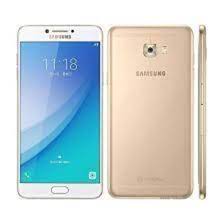
Is your Samsung Galaxy C7 Pro (SM-C701F) stuck on the boot screen, suffering from heavy lag, or giving you constant software errors? Reinstalling the official stock firmware (Flash File) is the most reliable way to fix “Hang on Logo” issues, remove screen locks, and restore your phone to its original peak performance.
On this page, you can download the latest C701FDDU1CSK1 (Android 8.0.0 Oreo) and other stable builds for the Indian region (INS) with maximum download speeds.
📂 Firmware Package Details
| Feature | Details |
| Model Name | Samsung Galaxy C7 Pro |
| Model Number | SM-C701F |
| Region | India (INS) |
| Android Version | 8.0.0 (Oreo) |
| PDA (Latest) | C701FDDU1CSK1 |
| CSC | C701FODD1CSJ1 / C701FODD1BRD2 |
| Build Type | Official Samsung Update |
🚀 High-Speed Download Links
- Firmware File (Oreo 8.0.0): Download SM-C701F_C701FODD1BRD2.zip (Insert your link)
- Firmware File (Stable): Download C701FODD1BQL9_INS.zip (Insert your link)
- Flash Tool: Download Odin3 v3.14.4
- Drivers: Download Samsung USB Drivers
🛠️ Why Flash This Firmware?
Flashing the stock ROM on your SM-C701F can resolve a wide range of mobile software problems, including:
- Fix Bootloops: Recovers devices stuck at the “Samsung Galaxy C7 Pro” startup screen.
- Performance Boost: Eliminates lag and slow responsiveness of the system.
- Remove Locks: Clears forgotten Pattern, PIN, or Password locks.
- Network Fixes: Addresses issues with 4G VoLTE connectivity, Wi-Fi, or Bluetooth drops.
- Security & Stability: Updates your phone with the latest available security patches and bug fixes.
⚠️ Pre-Flash Checklist
To ensure a successful flash without bricking your device, please follow these steps:
- Backup Data: This process will erase all user data. Backup your photos, contacts, and WhatsApp messages.
- Battery: Ensure your phone is charged to at least 50%.
- Confirm Model: This is strictly for the SM-C701F. Check your exact model in Settings > About Device.
- OEM Unlock: If possible, enable USB Debugging and OEM Unlock in the Developer Options menu.
📖 How to Flash SM-C701F via Odin
Start: Click Start. Wait for the green “PASS!” message. Your phone will reboot automatically into the fresh OS.
Extract: Unzip the firmware package and the Odin tool on your computer.
Drivers: Install the Samsung USB Drivers.
Download Mode: Power off your phone. Press and hold Volume Down + Home + Power. At the warning screen, press Volume Up.
Connect: Open Odin and connect your phone to the PC. The ID:COM box should turn blue.
Load File: Click the AP button and select the extracted .tar.md5 firmware file.