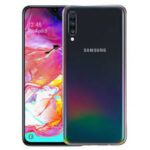
If you are looking for the Samsung Galaxy A70 SM-A705GM firmware (flash file), you are in the right place. On androidhub.co.in, you can download the latest official Samsung stock firmware for the Galaxy A70 with fast and free download options.
All firmware files listed here are original Samsung ROMs designed specifically for the Samsung Galaxy A70 with model number SM-A705GM. Installing stock firmware helps you fix boot loop issues, unbrick your smartphone, remove software bugs, or restore your device to factory condition.
Samsung Galaxy A70 Device Information
- Device Name: Samsung Galaxy A70
- Model Number: SM-A705GM
- Android Version: Android 9 / Android 10 (varies by firmware)
- Processor: Qualcomm Snapdragon 675
- Display: 6.7-inch Super AMOLED Infinity-U Display
- Firmware Type: Stock ROM / Flash File
- Flash Tool: Odin Flash Tool
- Region: India (INS)
Samsung Galaxy A70 SM-A705GM Firmware Download
Below are available official firmware versions for Samsung Galaxy A70.
U5 Firmware
| Firmware Version | Region | Android Version | Download |
|---|---|---|---|
| INS-A705GMDDU5BTF1 | India | Android 10 | Download |
| INS-A705GMDDU5ATA1 | India | Android 10 | Download |
U3 Firmware
| Firmware Version | Region | Android Version | Download |
|---|---|---|---|
| SM-A705GM_A705GMDDU3ASI2 | India | Android 9 | Download |
U1 Firmware
| Firmware Version | Region | Android Version | Download |
|---|---|---|---|
| SM-A705GM_A705GMDDU1ASE4_Android_9_INS | India | Android 9 | Download |
These firmware packages include the complete Samsung stock ROM required to flash your device using Odin.
Samsung Galaxy A70 Software Overview
The Samsung Galaxy A70 SM-A705GM combines powerful hardware with advanced Samsung software features to deliver a smooth and intelligent mobile experience.
One UI – Clean and Intuitive Interface
The Galaxy A70 runs on Samsung’s One UI, designed to make using large smartphones easier. The interface provides simple navigation, clean design, and optimized one-hand usability.
Super AMOLED Infinity-U Display
The 6.7-inch Super AMOLED Infinity-U display delivers vibrant colors, deep blacks, and immersive visuals. Samsung’s display software enhances brightness, contrast, and overall viewing quality.
Triple Camera System with Smart Features
The Galaxy A70 features a triple camera setup supported by intelligent software tools such as:
- Scene Optimizer for automatic scene detection
- Flaw Detection for better photos
- AI camera enhancements for improved image quality
Biometric Security
Samsung integrates advanced biometric authentication, including:
- On-screen fingerprint scanner
- Facial recognition
These features provide secure and convenient device unlocking.
Night Mode Photography
The Night Mode feature enhances low-light photography by adjusting exposure and brightness, helping you capture clear and detailed photos even in dark environments.
Samsung Knox Security
Samsung Galaxy A70 includes Samsung Knox, a defense-grade security platform that protects your data against malware and unauthorized access with multi-layered security protection.
Intelligent Battery Management
The software optimizes battery usage through features such as:
- Adaptive Power Saving
- App power management
- Performance optimization
These features help extend battery life throughout the day.
Bixby Smart Assistant
The Galaxy A70 includes Samsung Bixby, an intelligent assistant that helps you perform tasks using voice commands, automation, and personalized recommendations.
Regular Software Updates
Samsung regularly releases software updates and security patches, ensuring improved performance, new features, and better protection against vulnerabilities.
Why Install Samsung Galaxy A70 Firmware?
Installing official firmware can help you:
- Fix boot loop problems
- Repair soft-brick devices
- Restore factory firmware
- Fix device stuck on Samsung logo
- Remove system bugs and malware
- Improve device performance
Flashing the stock ROM is the best way to restore your smartphone to its original working condition.
How to Install Galaxy A70 SM-A705GM Firmware
Follow these steps to flash the firmware:
- Download the SM-A705GM firmware file from androidhub.co.in
- Extract the firmware ZIP file on your computer
- Install Samsung USB Drivers on your PC
- Download and open Odin Flash Tool
- Boot your phone into Download Mode
- Connect the phone to your PC via USB cable
- Load firmware files into Odin (BL, AP, CP, CSC)
- Click Start to begin the flashing process
Once completed, your phone will restart automatically.
Important Notes
- Always verify your device model is SM-A705GM before flashing firmware.
- Flashing incorrect firmware may damage your device.
- Ensure your battery is above 50% before starting the flashing process.
About AndroidHub
androidhub.co.in provides Samsung firmware downloads, stock ROMs, flash files, and Android updates for many Samsung Galaxy devices. We offer safe, fast, and reliable firmware downloads to help users repair or update their smartphones.
