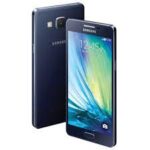
Is your Samsung Galaxy A3 (SM-A300H) behaving erratically? Whether you’re stuck on the boot logo, experiencing frequent app crashes, or want to remove a screen lock, flashing the official stock firmware is the ultimate solution to restore your device to its factory-fresh state.
Below, you can download the A300HXXU1BOK6 firmware (Android 5.0.2 Lollipop) for the Indian region (INS/INU) with maximum speed and no hidden costs.
📂 Firmware Package Details
| Feature | Details |
| Model Name | Samsung Galaxy A3 (2015) |
| Model Number | SM-A300H |
| Region | India (INS / INU) |
| Android Version | 5.0.2 (Lollipop) |
| PDA | A300HXXU1BOK6 |
| CSC | A300HODD1BOJ1 |
| Build Date | November 2015 |
🚀 High-Speed Download Links
- Firmware File: Download A300HXXU1BOK6_A300HODD1BOJ1_INS.zip
- Flash Tool: Download Odin3 v3.14.4
- Drivers: Download Samsung USB Drivers
🛠️ Common Software Issues Fixed
Installing this official flash file resolves several common problems:
- Bootloop: Fixes devices stuck on the “Samsung Galaxy A3” startup animation.
- Lag & Freezing: Refreshes system files to eliminate slow UI performance.
- Security & Privacy: Removes forgotten PIN, Pattern, or Password locks.
- System Corruption: Repairs “Unfortunately, System UI has stopped” and other persistent errors.
- Battery Efficiency: Fresh firmware can often resolve rapid battery drain caused by background software glitches.
⚠️ Pre-Installation Checklist
- Confirm Model: This firmware is only for the SM-A300H. Check your model under Settings > About Device.
- Backup: Flashing will erase all data. Ensure your photos and contacts are backed up.
- Charge Battery: Ensure your phone has at least 50% power before starting.
- Hardware Check: Use an original USB cable and ensure your PC’s USB ports are functioning correctly.
📖 How to Flash SM-A300H using Odin
Start: Click Start. Once the process is finished, a green “PASS!” message will appear, and your device will reboot automatically.
Extract: Unzip the firmware package and the Odin tool on your computer.
Drivers: Install the Samsung USB Drivers.
Download Mode: Power off your A3. Press and hold Volume Down + Home + Power buttons. When the warning screen appears, press Volume Up.
Connect: Open Odin and connect your device to the PC. The ID:COM box should turn blue.
Load Files: Click the AP button and select the extracted .tar.md5 firmware file.
