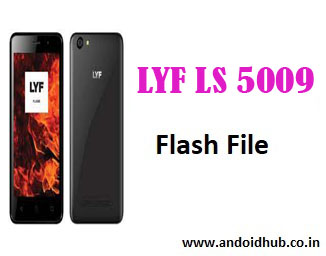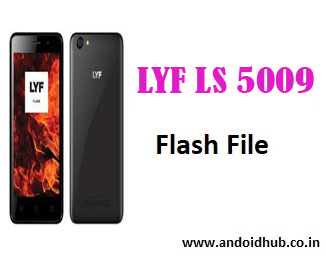
LYF Wind 6 LS-5009 (SW_V224, V213 & V209) Flash File / Stock ROM Firmware – Download Free
Looking to revive your LYF Wind 6 LS-5009 smartphone? Whether you’re facing issues like a boot loop, software crash, hanging logo, or a dead phone, flashing the official stock firmware can bring your device back to life. At androidhub.co.in, we provide 100% tested and official Flash Files for free.
📥 Download Flash Files for LYF Wind 6 LS-5009
| Firmware Version | Download Link |
|---|---|
| LS-5009_WIND_6_PC_SW_VER_00_224_170217 | Available |
| Lyf_Wind_6_LS_5009_V213_160111 | Available |
| Lyf_Wind_6_LS_5009_V209_160115 | Available |
Flash Tool Required: Qualcomm Flash Image Loader (QFIL)
Chipset: Qualcomm MSM8909 (Snapdragon)
Android Version: 5.1 Lollipop
Security Patch Level: As per firmware version
File Format: Zip (extract before use)
🛠️ How to Flash LYF Wind 6 LS-5009 Without Box (Using QFIL Tool)
- Download & Install USB Drivers for Qualcomm chipset on your PC.
- Download and extract the firmware file and QFIL Tool.
- Launch QFIL Tool (
QFIL.exe) on your Windows PC. - Power off your phone and boot into EDL mode:
- Press and hold Volume Up + Down
- Connect USB cable (you should see “Qualcomm HS-USB QDLoader 9008” in Device Manager)
- In QFIL:
- Select “Flat Build”
- Load the
prog_emmc_firehose_8909.mbnfile from the firmware folder - Load
.xmlfiles (rawprogram0.xml & patch0.xml)
- Click on the Download button.
- Wait until the flashing process completes. The device will reboot automatically.
⚠️ Note: Take a full backup before flashing. Flashing will erase all user data.
📱 LYF Wind 6 LS-5009 Specifications
| Feature | Details |
|---|---|
| Display | 5.0 inches, 480×854 pixels |
| Processor | Qualcomm Snapdragon MSM8909 |
| RAM | 1GB |
| Storage | 8GB (expandable via microSD) |
| Camera | 5MP Rear, 2MP Front |
| Battery | 2250mAh |
| OS | Android 5.1 Lollipop |
| Connectivity | Dual SIM, 4G VoLTE, Wi-Fi, Bluetooth |
🔧 Why Flash Stock ROM on LYF Wind 6 LS-5009?
- Fix bootloop and stuck-on-logo issues
- Unbrick dead phone
- Fix lag, heating, and software glitches
- Restore to factory firmware
- Solve IMEI issues (use QCN backup + QPST/QFIL)
📁 Included in Flash Package
- Flash File (Stock ROM)
- QFIL Flash Tool
- Qualcomm USB Drivers
- Flashing Guide (Steps Included)
💡 Troubleshooting Tips
- Not detecting device? Reinstall Qualcomm drivers or try different USB ports.
- Stuck in EDL Mode? Perform long press power button (10–15 seconds) to force reboot.
- Flash failed? Ensure correct version and check for any modified
rawprogram0.xml.
🔗 Related Downloads
- Download Qualcomm USB Drivers
- Download QFIL Tool Latest Version
- LYF USB Driver Pack
- LYF LS-5009 QCN File (For IMEI Repair)
At androidhub.co.in, we aim to provide the latest stock firmware for all LYF models, including Wind 6, Wind 7, Flame series, and more. Stay updated with our tested flash files and expert guides.
LYF Wind 6 LS 5009 Firmware Download Free – Fast, Official & 100% Working Stock ROM only at androidhub.co.in
LYF Wind 6 LS 5009 Flash File:
Flash Tool For LYF LS 5009