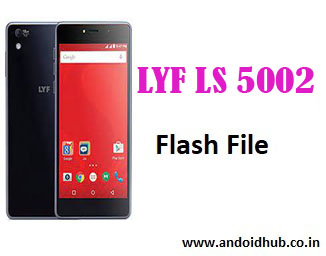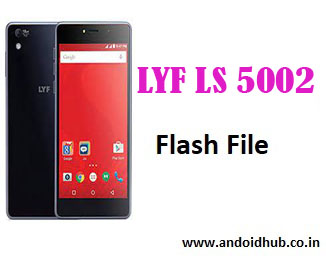
LYF Water 1 LS-5002 Firmware Flash File (Stock ROM) – Free Download [100% Tested]
If your LYF Water 1 LS-5002 smartphone is stuck on the logo, restarting, facing app crashes, or not turning on, flashing the official firmware can help revive your device. This page provides the official LYF LS-5002 firmware flash file, required tools, and a detailed flashing guide.
📱 LYF Water 1 LS-5002 – Device Info:
- Model: LYF Water 1 (LS-5002)
- Chipset: Qualcomm Snapdragon
- Firmware Versions Available:
Lyf_Water_1_LS_5002_V215_160114_160220Lyf_Water_1_LS_5002_V215_160114Lyf_Water_1_LS_5002_V213_151124
- Android Version: Lollipop 5.1 (Not upgradable beyond 6 officially)
- Flash Tool: Qualcomm Flash Image Loader (QFIL)
- Boot Key: Volume UP + Volume DOWN (then connect USB)
✅ Download Links:
🔗 Download LYF LS-5002 Flash File – V215_160220
🔗 Download LYF LS-5002 Firmware – V213_151124
🔗 Download Qualcomm QFIL Tool v2.0.3.5
🔗 Download Qualcomm USB Drivers
These files are hosted on androidhub.co.in and tested to avoid brick risk.
🔧 How to Flash LYF LS-5002 Using QFIL:
⚠️ Backup your data before flashing. Flashing erases all data.
Requirements:
- Windows PC or Laptop
- Qualcomm USB Drivers
- QFIL Tool v2.0.3.5
- Original USB Cable
- 50%+ Battery Level
Flashing Steps:
- Download and extract the LS-5002 firmware file and QFIL tool on your PC.
- Install Qualcomm USB Drivers if not already installed.
- Run QFIL.exe from the extracted QFIL folder.
- Switch off your LYF Water 1. Press and hold Volume UP + Volume DOWN and connect it to PC via USB.
- In QFIL, click on “Browse” next to Program Path, and select the
.mbnfile from the firmware folder. - It will automatically populate rawprogram0.xml and patch0.xml.
- Click Download to start flashing.
- Wait for the process to complete. You’ll see “Download Succeeded” when done.
- The phone will reboot automatically.
🛠 Issues Fixed After Flashing:
- LYF Water 1 stuck at boot logo
- Frequent app crashes
- Dead after wrong flash
- Touch not working or lag
- Pattern lock or PIN lock (if supported by file)
- Software-related slowdowns
🔍 Firmware Details:
| File Name | Build Version | File Size |
|---|---|---|
| Lyf_Water_1_LS_5002_V215_160220 | V215 | ~1 GB |
| Lyf_Water_1_LS_5002_V213_151124 | V213 | ~980 MB |
All firmware packages are in
.mbnformat and compatible with QFIL tool.
💡 Troubleshooting Tips:
- Not detected in QFIL? Reinstall Qualcomm drivers or change USB port.
- Device not booting after flash? Flash using different version (try V213).
- Stuck at 0%? Recheck
.mbnfile path and ensure XML files are present.
📈 Tags for SEO:
lyf ls 5002 flash file, lyf water 1 ls-5002 stock rom, lyf ls 5002 firmware download, lyf ls-5002 qfil flashing, lyf water 1 hang logo fix, lyf ls5002 qualcomm flash file, lyf ls-5002 tested firmware, lyf ls 5002 bootloop fix, lyf ls 5002 v215 firmware
📚 Related Posts:
- LYF Flame 4 LS-4003 SPD Flash File
- LYF Jio F101K Flash File – Tested Version
- LYF LS-5016 Pattern Unlock & Firmware
📝 Conclusion:
The LYF Water 1 LS-5002 was built to be a budget performer, but many users face firmware-related issues over time. Flashing the latest stock ROM using the QFIL tool can help restore performance, fix boot issues, and remove bugs. Follow the guide above carefully to avoid any damage during the process.
For more official firmware and tested flash files, visit:
👉 androidhub.co.in