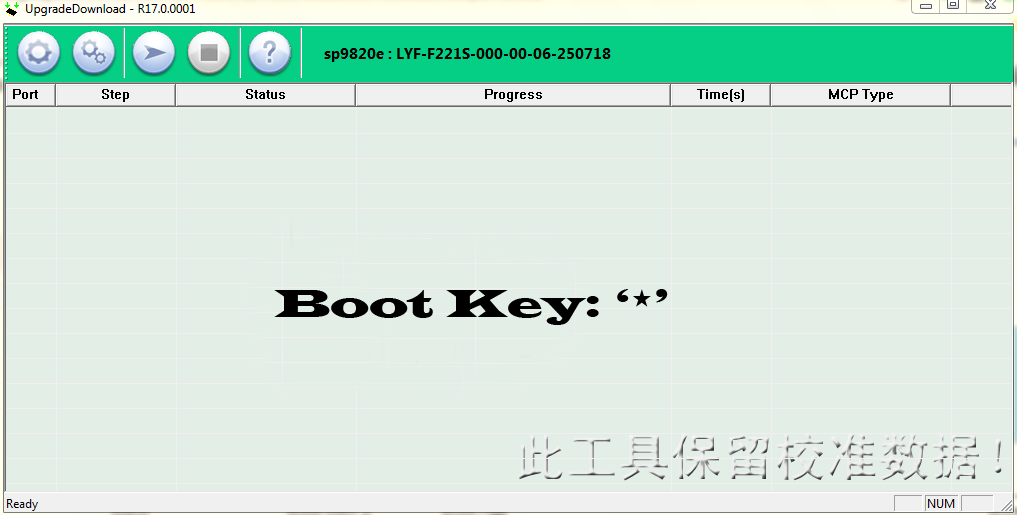
Download the official LYF Jio F211s Firmware ROM (Flash File) for free. This stock firmware can help you unbrick your device, fix boot loop issues, remove software errors, and restore the phone to its original factory state.
The firmware listed below is the latest tested flash file for LYF Jio F211s and can be installed using the SPD Upgrade Download Tool.
📱 Device Information
- Device Name: LYF Jio F211s
- Model: F211s
- Firmware Version: LYF-F211S-000-02-53-290322
- Firmware Type: Stock ROM / Flash File
- Chipset: Spreadtrum (SPD)
- Flash Tool: SPD UpgradeDownload Tool
- Boot Key:
*(Star Key)
📥 Download LYF Jio F211s Firmware
Official Stock Firmware
Firmware File:
LYF-F211S-000-02-53-290322.pac
You can download the LYF Jio F211s flash file for free from androidhub.co.in with fast and secure servers.
🛠 What This Firmware Fixes
Flashing the stock firmware can solve many software issues, including:
- Device stuck on logo
- Boot loop problem
- Dead phone fix
- Software crash or system errors
- Virus or malware removal
- Restore factory firmware
- Phone not starting properly
⚙️ Required Files
Before starting the flashing process, make sure you have the following:
- LYF Jio F211s Firmware File (.pac)
- SPD USB Drivers
- SPD UpgradeDownload Tool
- Windows PC or Laptop
- Original USB Cable
🔧 How to Flash LYF Jio F211s Firmware
Follow these steps carefully to flash the stock ROM.
Step 1 – Download Firmware
Download and extract the LYF Jio F211s firmware package on your computer.
Step 2 – Install USB Drivers
Install the SPD USB drivers on your computer. Skip this step if already installed.
Step 3 – Launch Flash Tool
Open the flashing tool by double-clicking UpgradeDownload.exe.
Step 4 – Load Firmware
Click Load Packet and select the firmware file with the .pac extension.
Step 5 – Start Flashing
Click the Download button inside the tool.
Step 6 – Connect the Phone
Turn off your phone and connect it to the computer while pressing the “*” (Star) key.
Step 7 – Wait for Flashing
The flashing process will start automatically. Wait until the process completes and a success message appears.
Step 8 – Reboot Device
Disconnect the phone and restart it normally.
⚠️ Important Notes
- Flashing firmware will erase all user data from the device.
- Make sure the firmware matches your exact model LYF Jio F211s.
- Do not disconnect the device during the flashing process.
📱 About LYF Jio F211s
The LYF Jio F211s is a compact feature phone designed for seamless connectivity with Jio network services. The device offers reliable performance, simple usability, and long battery life, making it suitable for everyday communication.
It supports Jio voice calling, messaging, and essential internet features, providing users with a stable and efficient mobile experience.
🔗 Internal Links (androidhub.co.in)
Related Flash Files
- LYF Jio Flash File Collection
- Download SPD USB Drivers
- SPD Upgrade Download Tool Latest Version
- Samsung Firmware Download
- MTK Flash Files Collection
More LYF firmware files are available here:
https://androidhub.co.in/category/Lyf/
LYF Jio F211s Boot Key: *