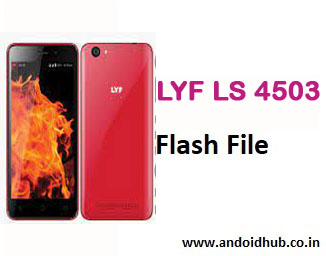
Download LYF Flame 1 LS-4503 Firmware Flash File (Stock ROM) – Free [100% Tested]
If your LYF Flame 1 LS-4503 is stuck on the logo, rebooting, experiencing touchscreen problems, or battery issues — flashing the stock firmware can bring it back to life. This guide provides the official firmware, tools, and step-by-step flashing instructions.
📱 Device Information:
- Device Name: LYF Flame 1
- Model Number: LS-4503
- Processor: Qualcomm Snapdragon
- Firmware Version:
Lyf_Flame_1_LS_4503_S10A_LYF_L11EN_215_160408
- Android Version: Lollipop 5.1 (Factory OS)
- Flash Tool: Qualcomm Flash Image Loader (QFIL)
- Boot Key: Volume UP + Down (or Volume UP alone)
✅ Download Links
🔗 Download LYF Flame 1 LS-4503 Flash File – S10A_L11EN_215_160408
🔗 Download Qualcomm QFIL Tool v2.0.1.9
🔗 Download Qualcomm USB Drivers (LS-4503 Supported)
All files are hosted on androidhub.co.in and tested for stability.
🧰 Required Tools:
- Windows PC or Laptop
- Qualcomm USB Drivers Installed
- Qualcomm Flash Image Loader (QFIL)
- Original USB Cable
- Charged battery (at least 50%)
🔧 How to Flash LYF LS-4503 Firmware via QFIL
⚠️ Important: Flashing will erase all user data. Backup your device before proceeding.
Step-by-Step Flashing Guide:
- Extract the downloaded firmware zip file and QFIL Tool on your PC.
- Install the Qualcomm USB Drivers.
- Run QFIL.exe from the extracted folder.
- Power off the LYF Flame 1.
Press and hold Volume UP + DOWN, then connect the device to your PC via USB. - In QFIL:
- Click Browse and select the
.mbnfile from the firmware folder. - It will auto-load rawprogram0.xml and patch0.xml.
- Click Browse and select the
- Click Download to begin the flashing process.
- Wait for the process to finish. The phone will reboot automatically.
🛠 What Issues This Firmware Fixes:
- LYF LS-4503 stuck at boot logo
- App crashes or system UI errors
- Device lag and performance drops
- Touchscreen responsiveness problems
- Bootloop and dead phone issues
- Pattern or PIN lock (if supported by file)
- Software corruption or virus-infected ROM
🔍 Firmware Details:
| File Name | Build | File Size |
|---|---|---|
| Lyf_Flame_1_LS_4503_S10A_L11EN_215_160408 | S10A_V215 | ~830 MB |
⚠️ Troubleshooting Tips:
- Device not detected in QFIL? Reinstall Qualcomm drivers or use a different USB port.
- Stuck at 0% in QFIL? Make sure
.mbn,rawprogram.xml, andpatch.xmlfiles are present. - Device stuck after flash? Try a different firmware version or perform a factory reset.
📚 Related Firmware:
- LYF Flame 4 LS-4003 SPD Flash File
- LYF Wind 4 LS-5014 Firmware Download
- LYF Water 1 LS-5002 Flash File (QFIL)
📈 Tags for SEO:
lyf ls-4503 flash file download, lyf flame 1 firmware, ls4503 qfil flash, lyf flame 1 dead boot fix, lyf ls-4503 bootloop repair, lyf flame 1 latest stock rom, lyf ls 4503 tested firmware, lyf ls 4503 flashing tool
📌 Conclusion:
The LYF Flame 1 LS-4503 may face various software problems such as app crashes, boot loops, lag, or touch response issues — all of which can be resolved by flashing the stock firmware using QFIL. With the official file and proper instructions, you can restore your phone to factory condition in minutes.
💡 For more firmware and mobile repair content, visit
👉 androidhub.co.in